Music: A CD Collection Manager
A private app for a 300-disc carousel changer. Find out if I already own something while standing in a record store, and turn any disc into a live eBay listing in six steps.
Overview
I own a Sony 300-disc carousel changer and more CDs than fit in it. The changer holds a numbered slot for each disc, the shelf holds the overflow, and for years the only index of what was where lived in my head. I would buy a record I already owned. I would want to play a specific album and have no idea which of the 300 slots it was sitting in. I would think about selling the duplicates and never get past the part where you photograph and describe each one.
/music is the private app I built to fix all of that. It is a mobile-first collection manager that knows every disc I own, where each one physically lives, what it is worth, and which ones are already listed for sale. It pulls real release data from Discogs and MusicBrainz so I never type a tracklist by hand, and it talks directly to the eBay API so a disc on my shelf can become a published listing without leaving the app.
The whole thing is gated to my account and runs in forced dark mode, because a collection manager is a thing you use in a dim room next to a stereo.
Browsing the collection
The home screen is the shelf, and it has two ways to look at it.
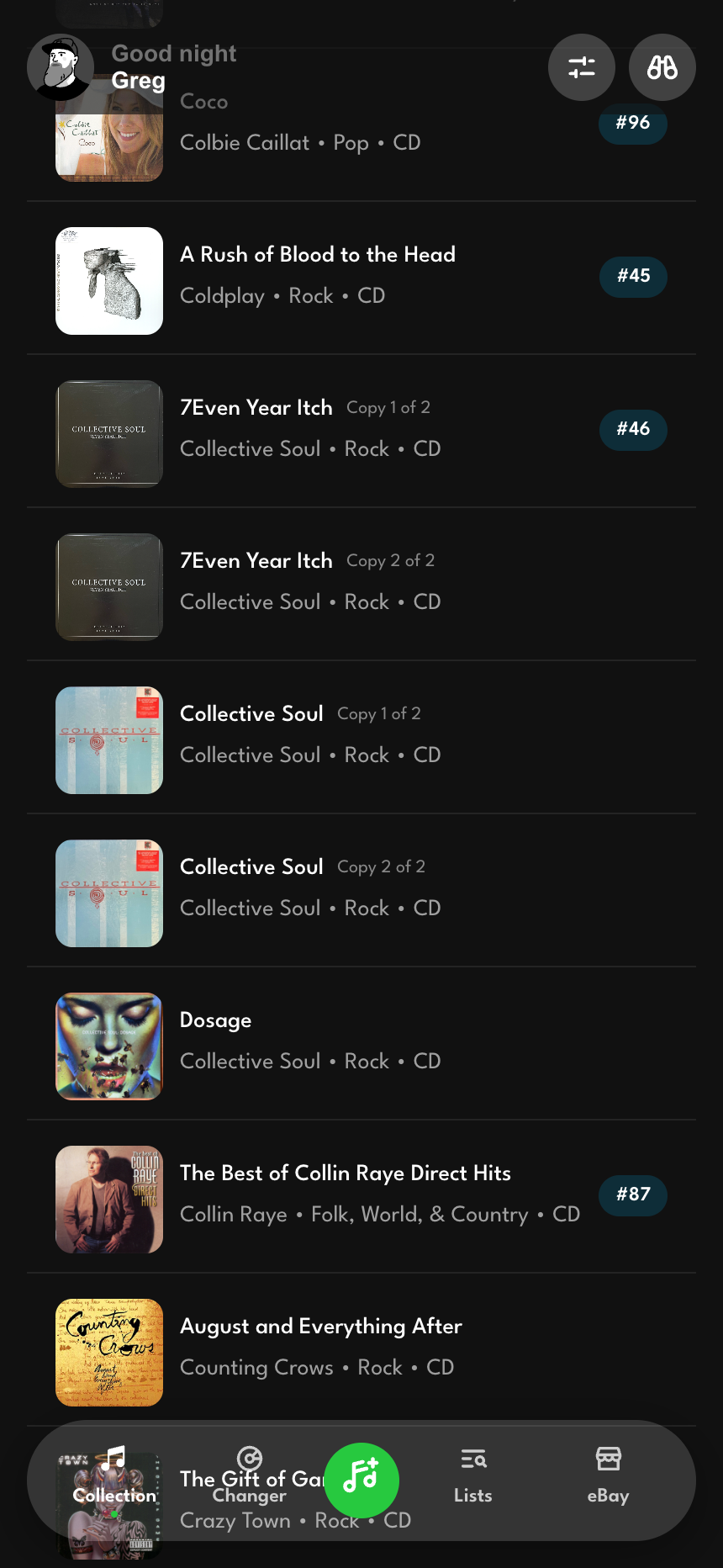
The default is a list: every owned disc grouped alphabetically, each row showing cover art, artist, genre, format, and condition. When I own two pressings of the same album, the rows tag themselves "Copy 1 of 2" and "Copy 2 of 2" so a real duplicate never reads like a rendering bug.
A list of five hundred discs is long, so it needs a way to move that is faster than a scroll. Down the right edge sits an A-to-Z strip, the same fast-scroll rail your phone's contacts list has. Tap a letter and the list jumps to that section; drag your thumb along the strip and it scrubs through the alphabet live, the current letter blown up in a bubble over the list so your thumb is never covering the answer. Letters with nothing filed under them sit dimmed, and a drag glides past them to the nearest section that exists, so a swipe toward Q lands on P or R instead of dropping you into an empty stretch. Each time you cross into a new letter the phone gives a small haptic tap, and the taps quicken as your thumb speeds up, so moving fast through the rack has a feel as well as a look.
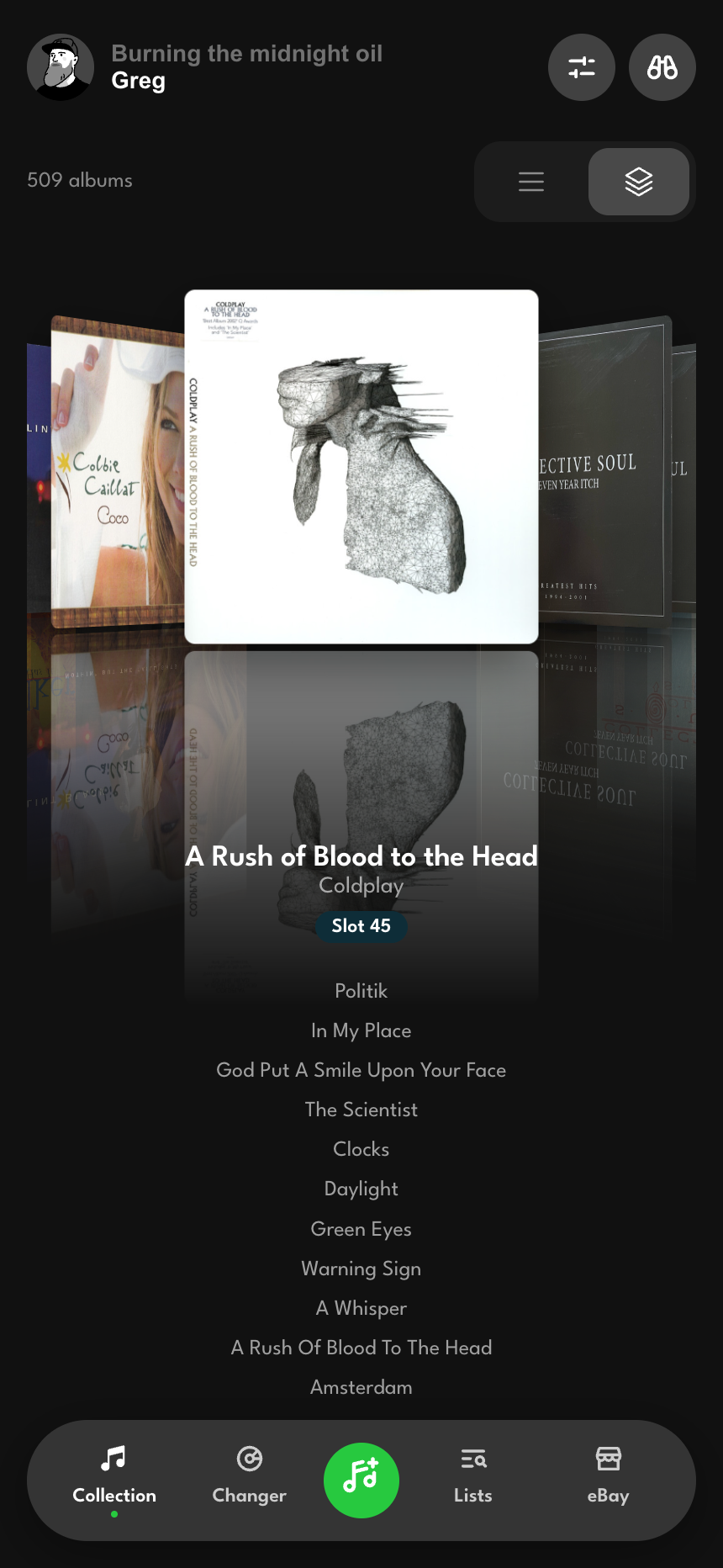
The second view is the one I built the app to have. Cover Flow is a 3D wall of album art you scrub through with a drag, a trackpad swipe, or the arrow keys. The centered cover faces you straight on; its neighbors fan out behind it at an angle with real perspective depth, getting smaller and dimmer as they recede. Tapping an off-center cover slides it to the front. Tapping the front cover opens the disc. Two small details make it feel right: there is an 8px threshold before a press counts as a drag, so a tap never accidentally scrubs, and the tracklist under the centered album stays hidden until you have held still for half a second, so it fades in once you have settled instead of flickering past while you fly through the rack.
Cover Flow also remembers where you were. The scroll position is saved per album, so when you open a disc and come back, the wall is sitting exactly where you left it instead of snapping back to the start. The view-mode choice persists too. The app opens to whichever way you were last looking at your music.
Adding a disc
Adding a CD should take one tap on the right search result, and most of the time it does. The add screen searches Discogs and MusicBrainz by artist or album and returns a hit list with cover, year, label, and source. Pick one and the app pulls the full release, including the tracklist, and files the disc into the collection. The tracklist fetch is lazy on purpose, so a session of adding ten albums does not fire off ten heavy requests against a rate-limited API.
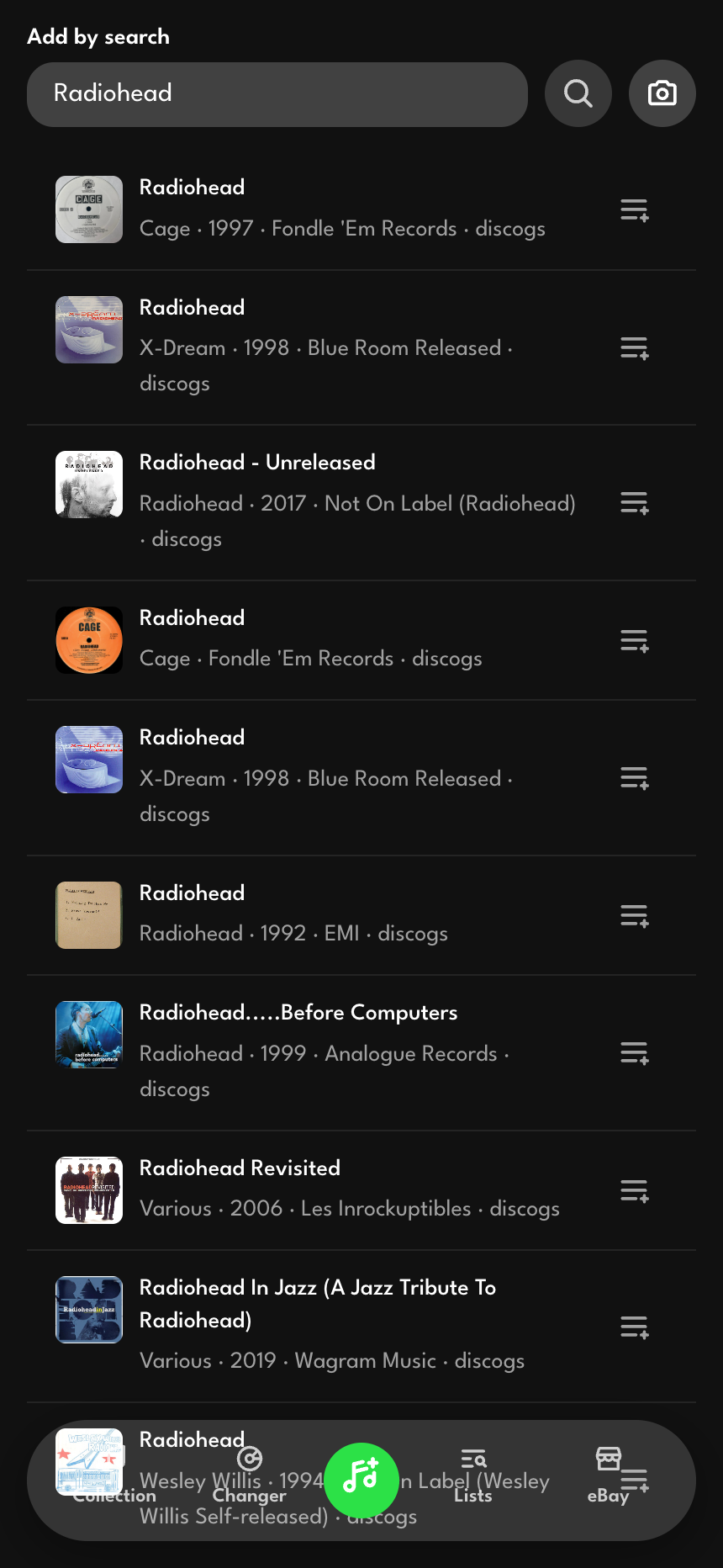
If typing is the slow part, the barcode scanner is faster. It opens the camera, reads the UPC off the back of the jewel case, and runs the same lookup automatically. For the records that no database has heard of, there is a plain manual form so a disc never gets stuck outside the collection just because Discogs has a gap.
Two smaller touches keep the screen from feeling like a dead end. When the search results all cluster around an artist already in the collection, the app surfaces a card linking straight to that artist's page instead of making you re-find them. And every search result carries a small + that drops the album into a list without adding it to the collection, which is how a wishlist gets seeded with things I do not own yet.
The changer map
The changer is a 300-slot grid, and the app draws it as one. Filled slots, empty slots, and conflicts each render differently, with a running count at the top: how many of the 300 slots are loaded, and how many have a conflict. Tapping an empty slot opens a sheet to load a disc into it. Tapping a filled slot shows what is in it. Ejecting a disc clears the slot without removing the disc from the collection, because the album is still on the shelf; it just is not in the machine anymore.
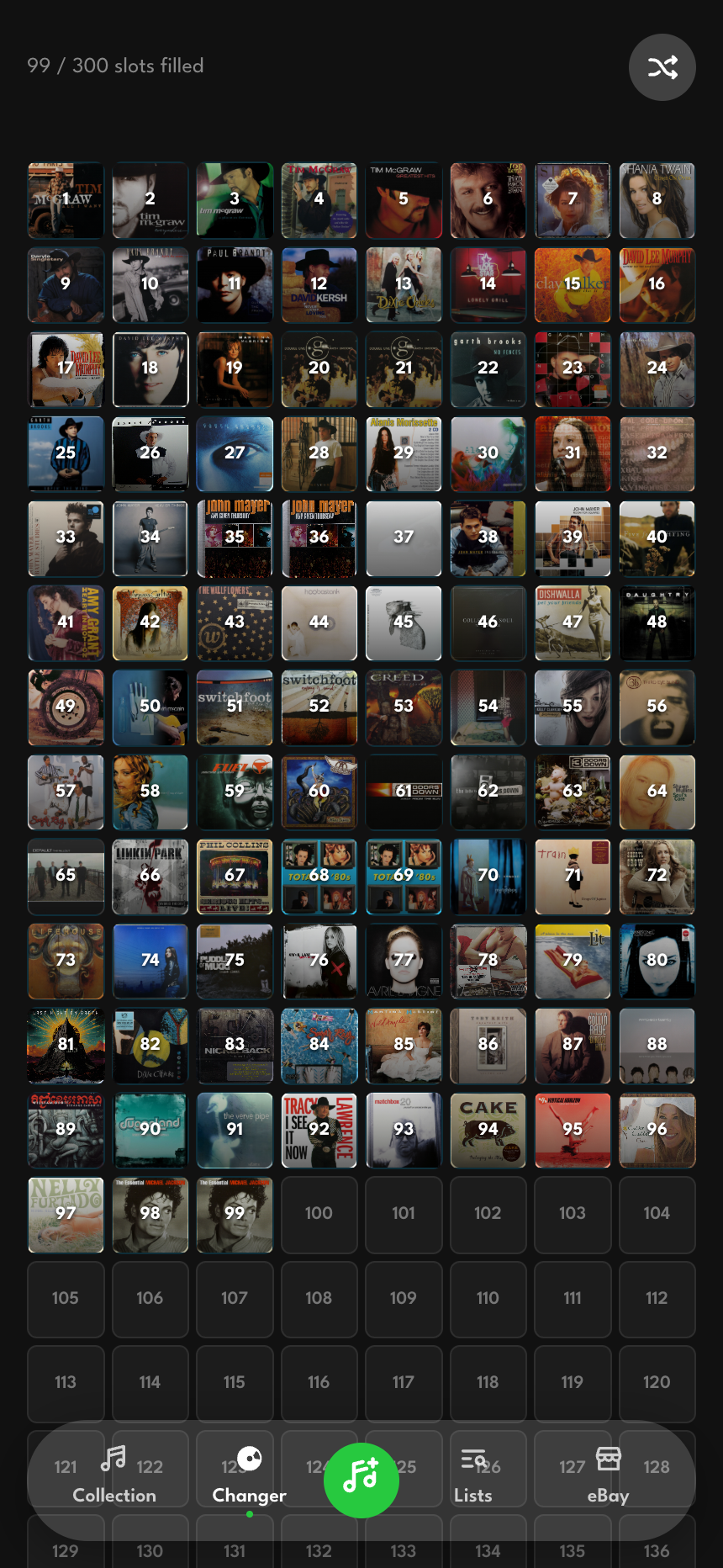
Conflicts get their own state. If two discs ever claim the same slot, the cell flags it and the detail sheet shows an alert, and you resolve it by ejecting one at a time rather than the app silently picking a winner.
The slot map also answers the question the changer exists for, which is "what should I play?" A shuffle button picks a random loaded slot and tries not to land on the same one twice in a row.
Knowing what you own, in the store
The feature that earns its keep is the lookup screen, because it works where the temptation to buy a duplicate happens. Standing in a record store, I search or scan, and the app tells me instantly whether the disc is already on my shelf and how many copies I have. The search runs against an in-memory index built from the collection at load, so it is fast and keeps working even when the store has no signal. If I already own the thing, it shows me my copies with their conditions, with a gentle "check conditions before buying" note when there is more than one, so the answer to "should I buy this" includes whether my copy is beat up.

A disc, up close
Opening a disc gives a clean read view first: cover, title, artist, year, label, format, and the tracklist. The artist name is a link. Everything else is calm until you ask to change it.
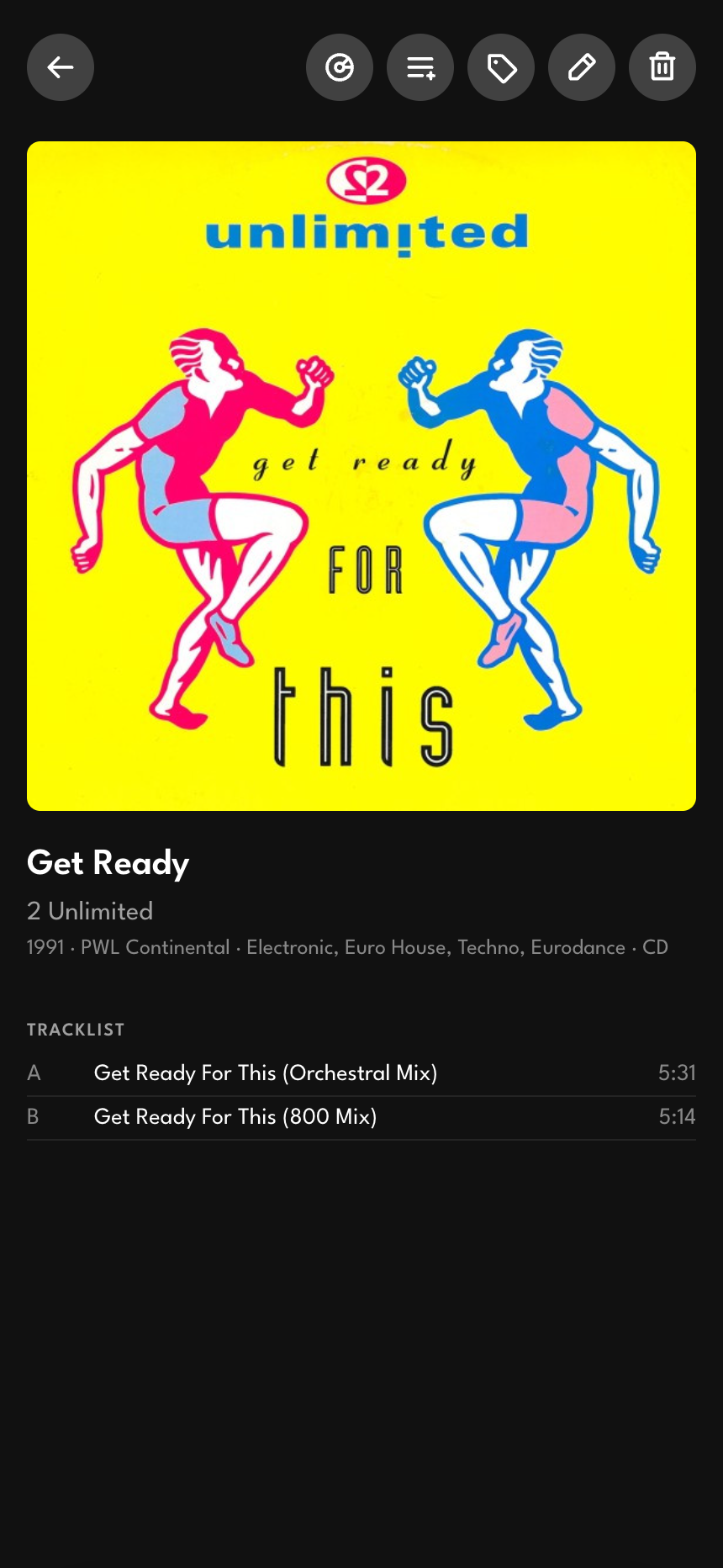
The pencil opens the full editor, where every field that is genuinely mine lives: condition grades for the disc, the case, and the insert; the changer slot or shelf location; the for-sale and sold flags with a sold date; catalog numbers; and notes. The refresh button does the opposite job. It pulls fresh release data from Discogs and overwrites the metadata that belongs to the record itself, the cover and tracklist and label, while refusing to touch anything I own. It will never blank a field just because Discogs is missing it, and it will never overwrite my slot, my condition grades, or the fact that I sold a disc last spring. The principle underneath the whole app is here: the database owns the facts about the release, and I own the facts about my copy, and a refresh respects that line.
The trailing actions are the launch points for everything else. One assigns the disc to a changer slot. One adds it to a list. One starts an eBay listing. One deletes it, behind a confirmation. If the disc has been sold, a "Sold" badge with the date sits where the actions would be.
Artists and lists
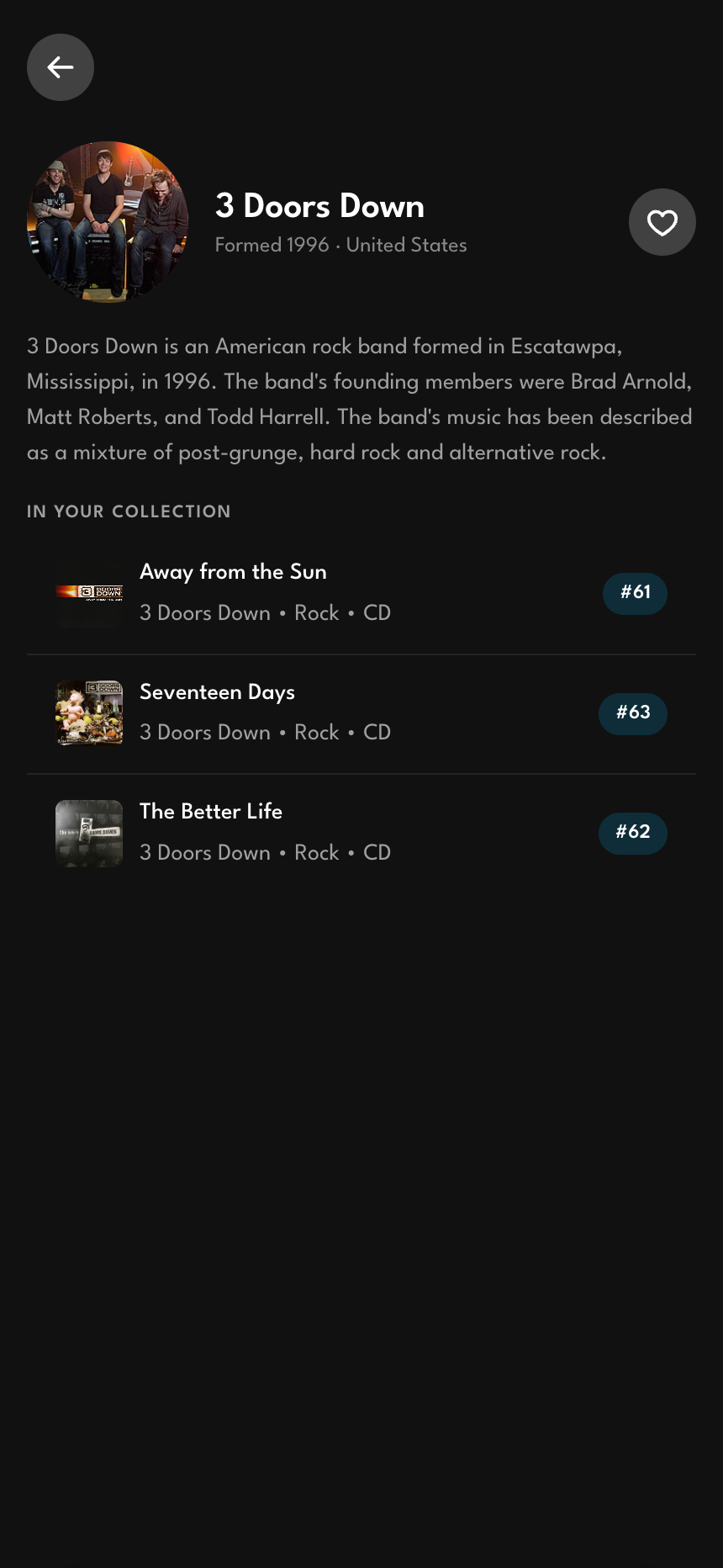
Every artist in the collection has a page. The first time I visit one, the app fetches the artist's photo and a few facts from Discogs and a short bio from Wikipedia, then caches all of it so the second visit is instant. The page gathers every disc I own by that artist and every list item by them in one place, and a heart favorites the artist. Favorited artists show up as tappable faces in the collection's filter sheet, which turns "show me everything by this person" into a one-tap filter.
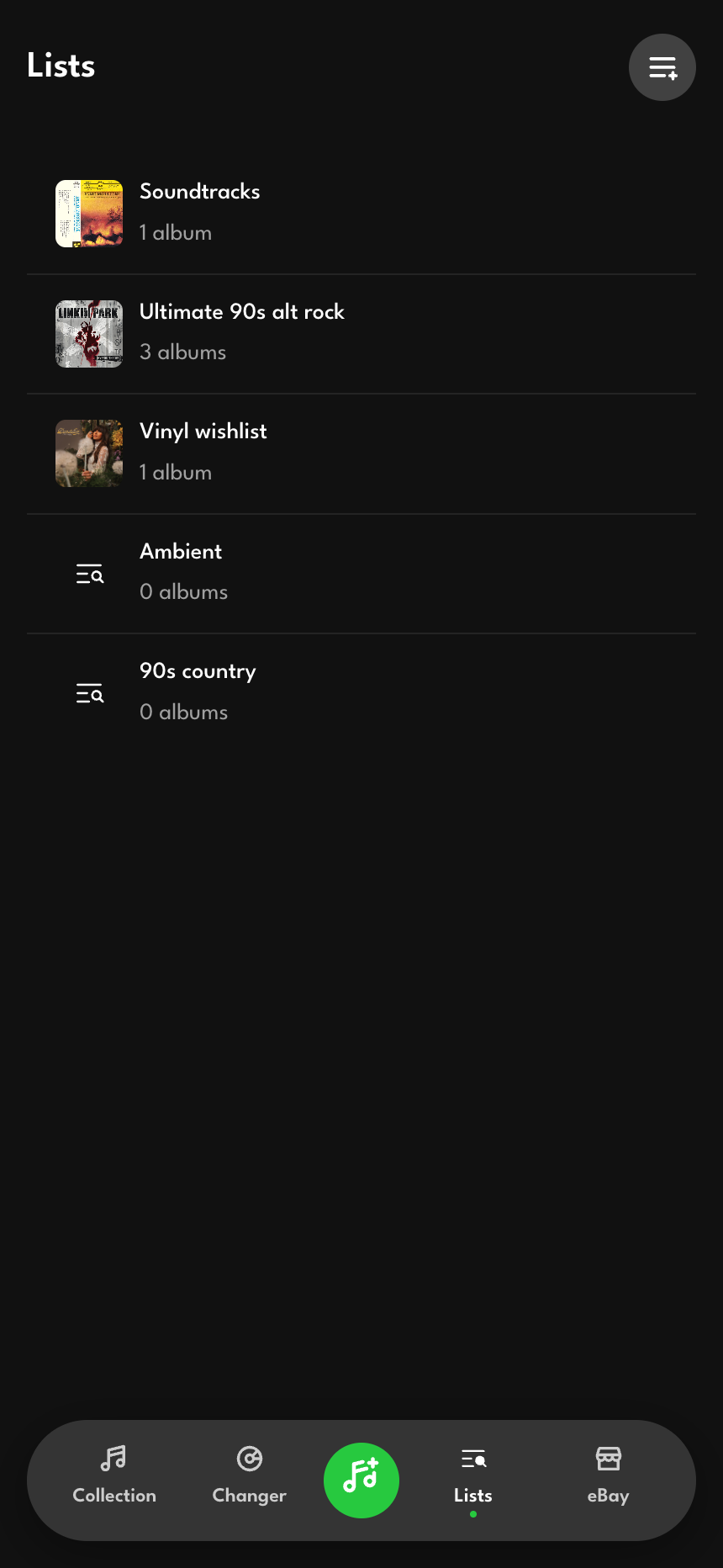
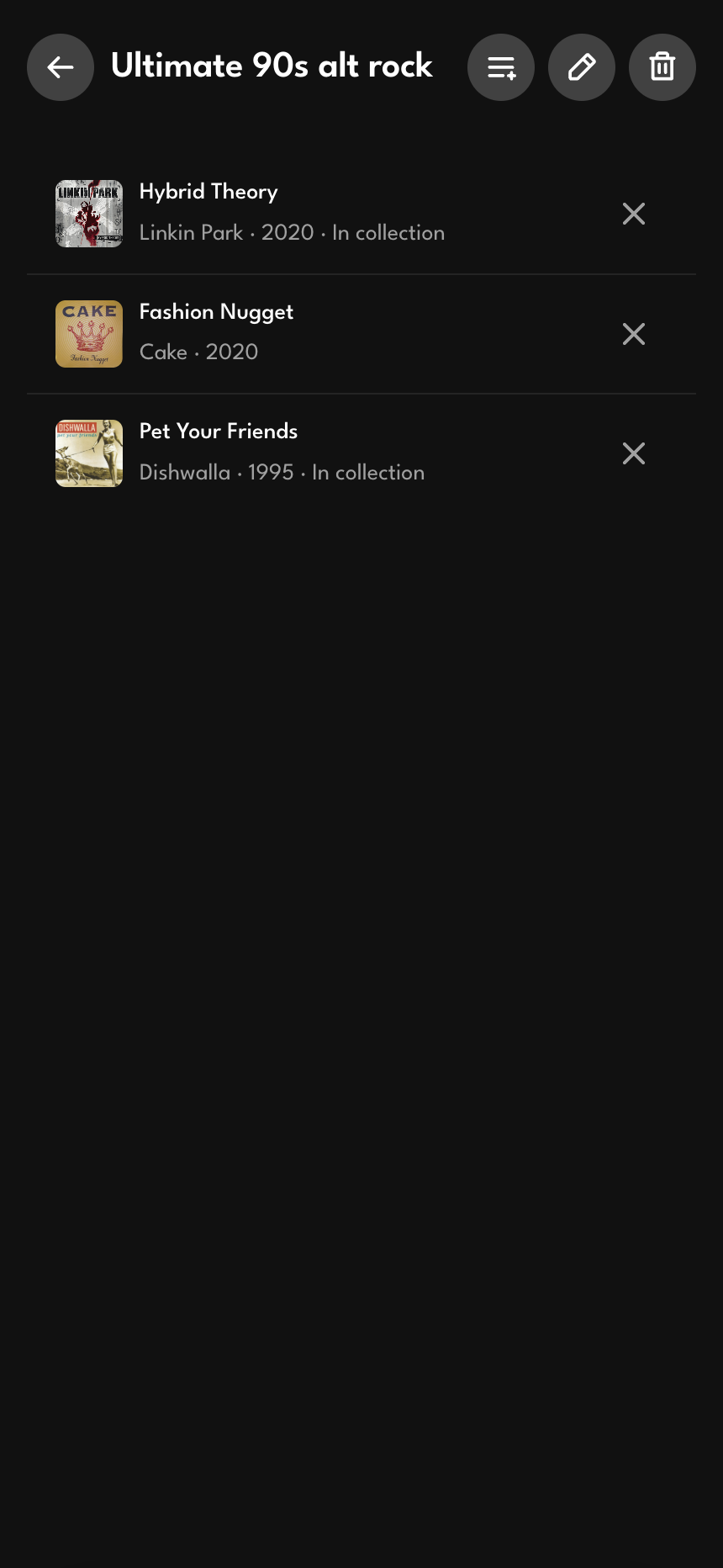
Lists are the flexible layer on top of the rigid collection. A list is just an ordered set of albums, and the albums are stored as snapshots rather than hard references to owned discs. That one decision is what lets a list hold things I do not own. A wishlist is a list of albums I am hunting for; a favorites list mixes discs I have with discs I want. When the app renders a list, it checks each item against the collection live, labels the ones I own, and offers to add the ones I do not. Membership is keyed so the same album added from two different searches collapses to one entry instead of quietly duplicating. Adding and removing an album gives a small haptic tap, a heavier pulse for an add than for a remove, so the gesture has a physical answer.
Selling, end to end
The part of the app I am most proud of is the one that turns a disc into money. eBay has a real API, and the listing workflow uses it directly rather than bouncing me out to the website.
The eBay hub shows three numbers across the top, drawn live from the seller account: how many discs are for sale, how many listings are in progress, and how many sold this month. Below that, live listings and in-progress drafts are kept in separate stacks, each card showing the cover, title, price, and a status badge.
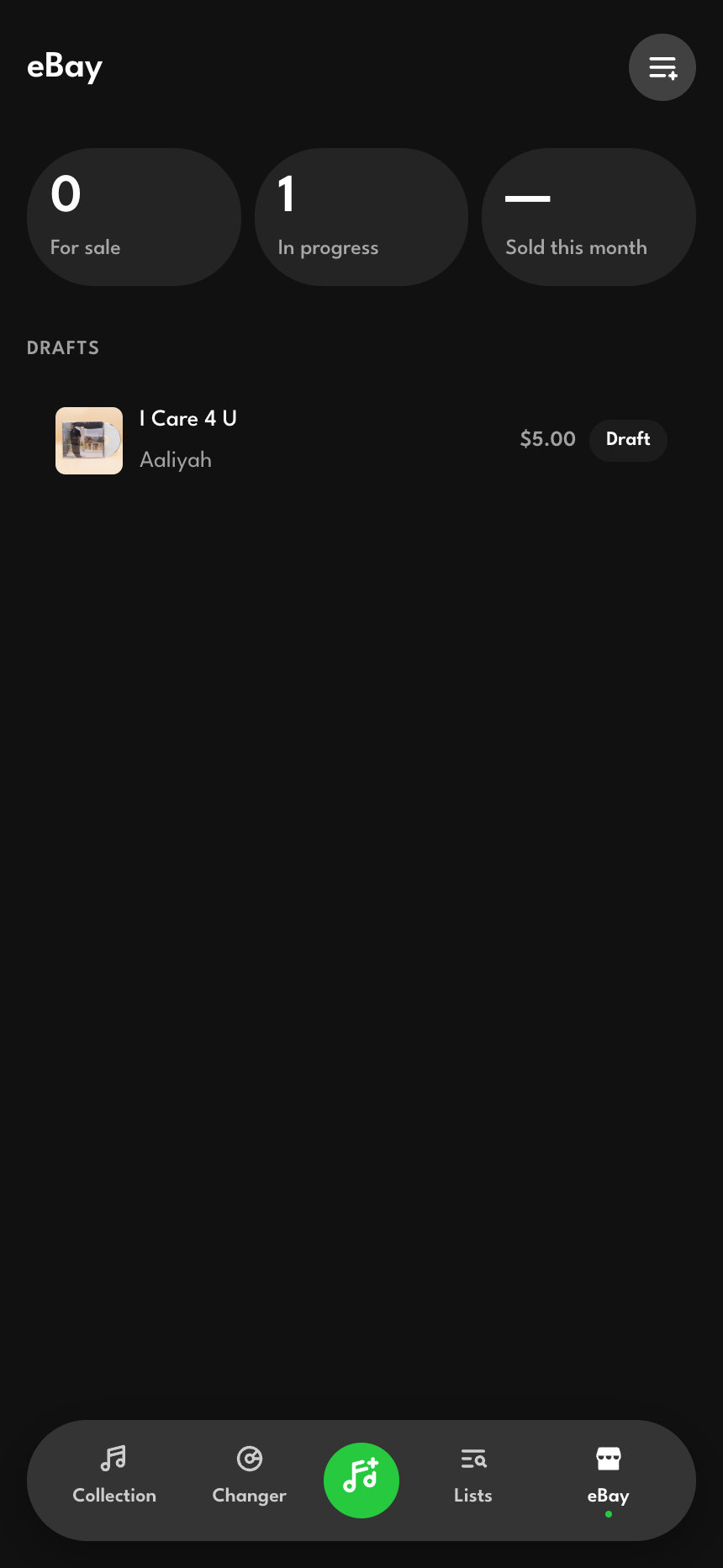
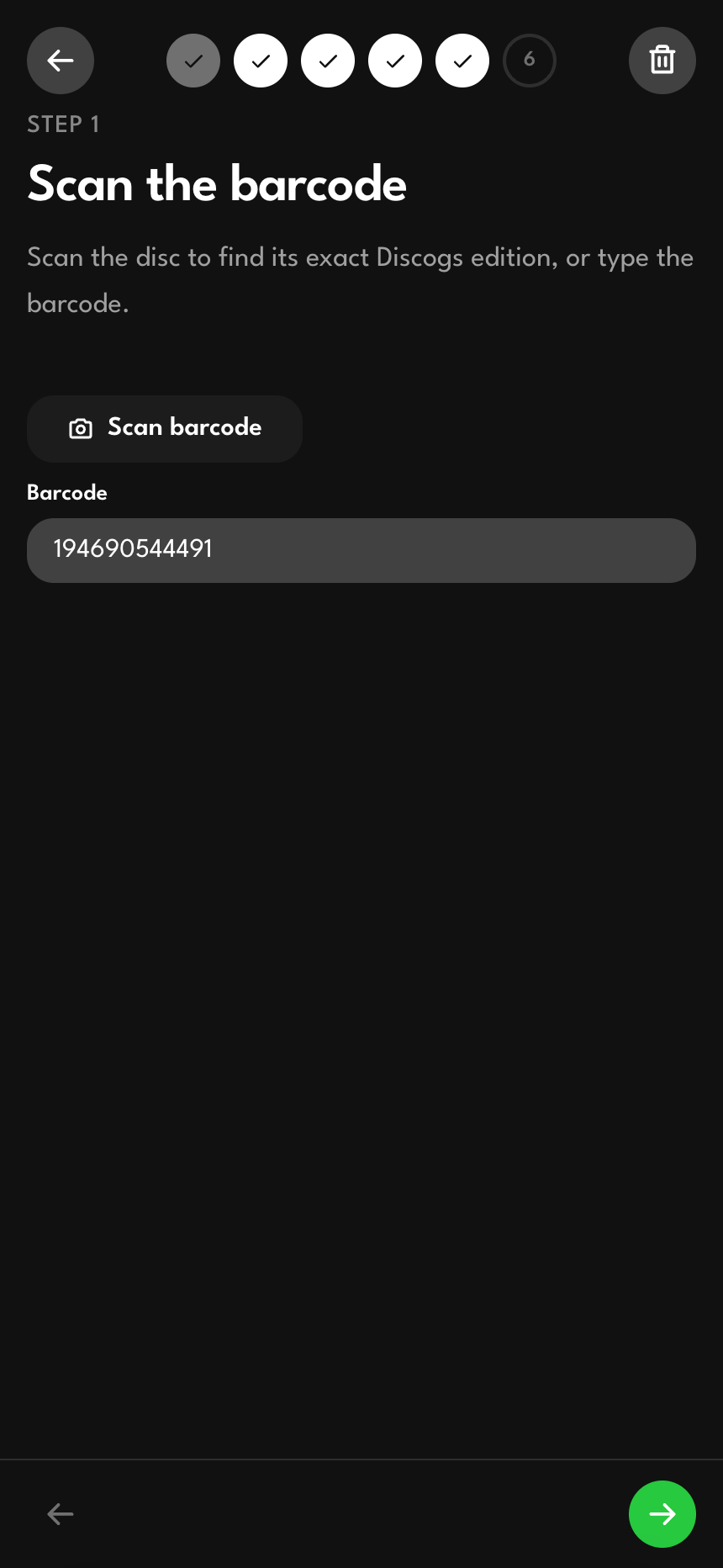
Creating a listing is a six-step wizard with a persistent step indicator, and the steps map to the real decisions a seller makes:
- Scan. Enter the barcode to pin down the exact edition, because the 1998 remaster and the original pressing are different listings with different values.
- Edition. Pick from every pressing Discogs knows for that barcode. The choice fills in the label, catalog number, year, country, format, cover, and genres in one move.
- Photos. Shoot or upload images straight to Firebase Storage. They land in a thumbnail grid you can reorder and prune.
- Condition. Three dropdowns, one each for the disc, case, and insert. The app takes the worst of the three and maps it to eBay's condition codes, because a mint disc in a cracked case is not a mint listing.
- Price. Set the asking price, with live sale comps pulled from eBay's Browse API to anchor the number. When the comps are not available, the step degrades quietly instead of blocking.
- Review. The assembled listing, with a title built to eBay's 80-character limit and item specifics prefilled from Discogs, then filtered against what eBay's category requires.
Publishing posts to the eBay Inventory API, creates the inventory item and the offer, and flips the draft to "published" with its live listing ID. The workflow is resumable at every step, so a listing half-built on the couch finishes the next morning exactly where it paused. And once a listing is live, reopening it and saving again syncs the edits to eBay through the update endpoint instead of creating a duplicate. Deleting a draft cleans up its photos from Storage so nothing orphans.
Keeping the data honest
Two background tools keep a collection this size from rotting.
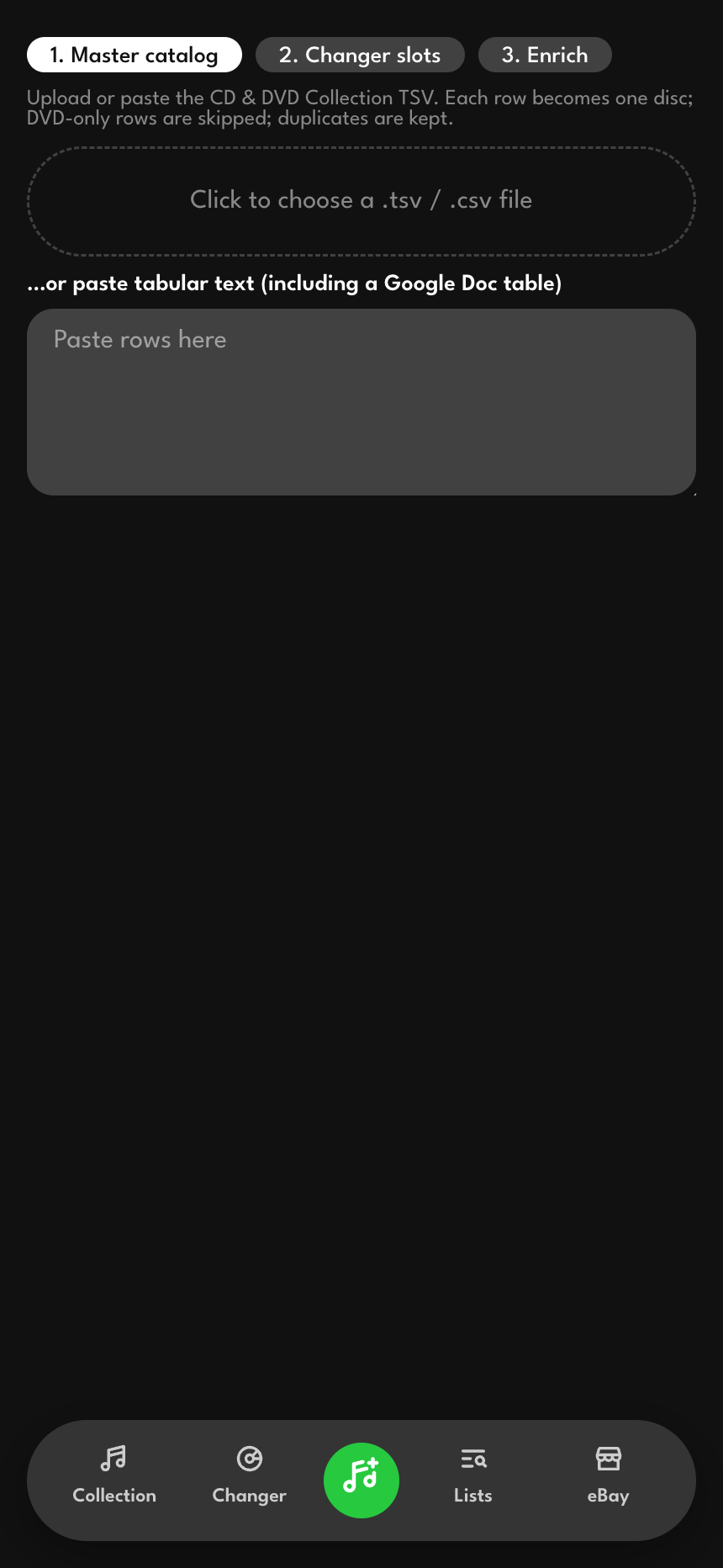
The import screen brings a collection in from a spreadsheet. Paste a tab-separated export and the app detects the columns, previews the parsed rows, and batch-creates the discs, with a separate mode for loading changer-slot assignments and a third for running enrichment. The enrichment pass walks the collection looking up each disc against Discogs and MusicBrainz, spacing the requests out to stay under rate limits, with a progress bar and a stop button so a long run is never a black box. It also catches the duplicate discs an import sometimes creates and offers to clear them in one tap.
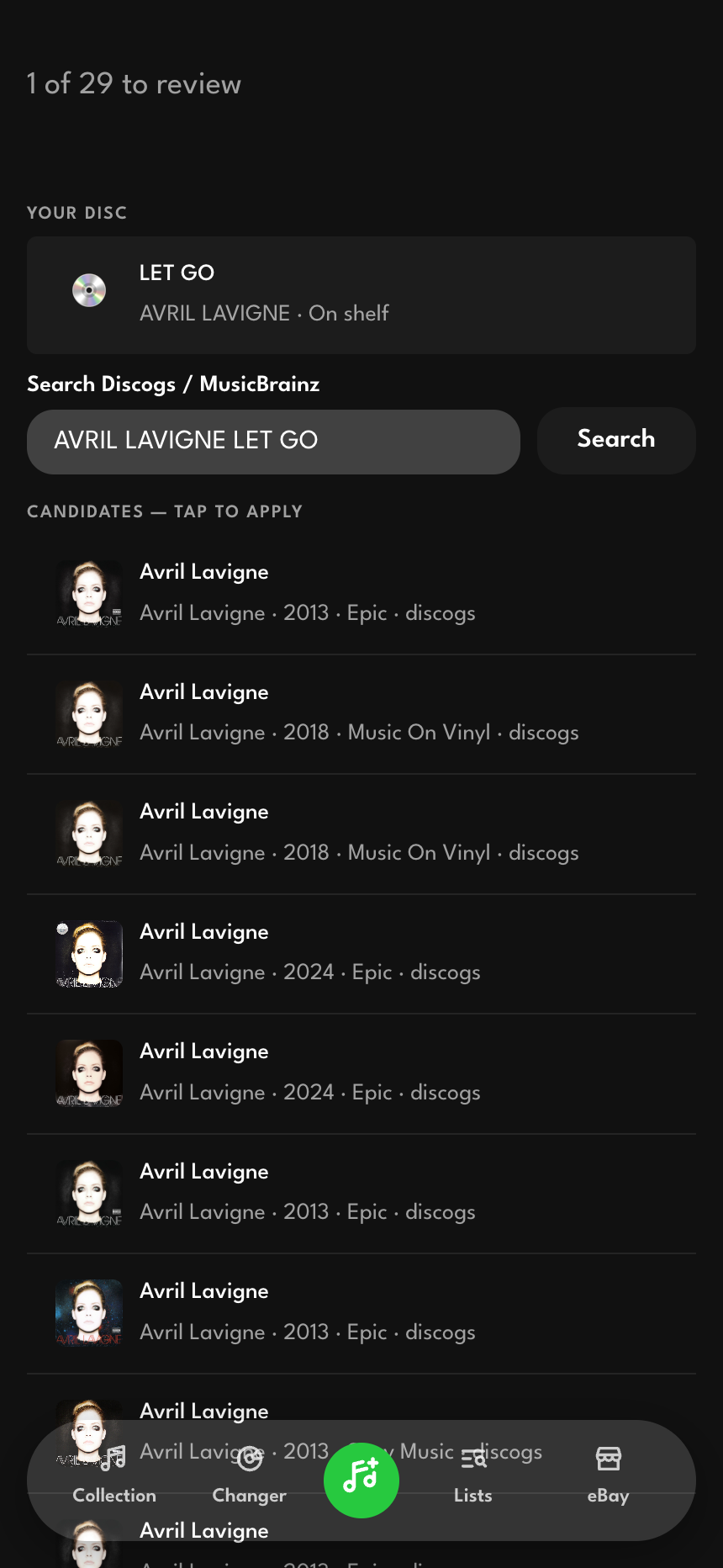
The review queue handles the discs that automatic matching could not place with confidence. It snapshots that queue and walks me through it one disc at a time, showing my record next to a pre-filled search and a list of candidates. Picking a candidate writes only the fields it has, and skipping moves on without forcing a choice. The queue does not re-sort as I work, so "next" always means the next one rather than a moving target. Enrichment stays an offer the app makes when it can help, something I reach for when a disc is missing data and ignore the rest of the time.
What it taught me
The app is small in audience, exactly one person, and that is what makes it a good design exercise. There is no one to impress and nothing to A/B test, so every decision is just whether the thing is actually nice to use. The choices that survived contact with daily use are the quiet ones: remembering the cover-flow position so the wall feels continuous, letting a refresh update the release without ever touching what is mine, keeping the eBay wizard resumable so a listing is never lost halfway, and treating metadata enrichment as an offer rather than an obligation.
It is also a full-stack product, not a design mockup. It reads and writes Firestore, uploads to Storage, proxies two music databases and Wikipedia through server functions to keep the keys off the client, and drives a commerce API end to end. I designed it and I built it, and the proof that the design works is mundane in the best way: I have stopped buying albums I already own, and the duplicates are turning into listings instead of sitting in a box.